Note
This is the documentation for the current state of the development branch of rustworkx. The documentation or APIs here can change prior to being released.
rustworkx.generators.grid_graph
- grid_graph(rows=None, cols=None, weights=None, multigraph=True)
Generate an undirected grid graph.
- Parameters:
rows (int) – The number of rows to generate the graph with. If specified,
colsalso need to be specifiedcols (int) – The number of cols to generate the graph with. If specified,
rowsalso need to be specified.rows * colsdefines the number of nodes in the graphweights (Sequence[Any]) – A sequence of node weights, typically a list. Nodes are filled row wise. If rows and cols are not specified, then a linear graph containing all the values in weights list is created. If number of nodes (
rows * cols) is less than length of weights list, the trailing weights are ignored. If number of nodes (rows * cols) is greater than length of weights list, extra nodes with None weight are appended.multigraph (bool) – When set to
False, the outputPyGraphobject will not be not be a multigraph and won’t allow parallel edges to be added. Instead calls which would create a parallel edge will update the existing edge.
- Returns:
The generated grid graph
- Return type:
- Raises:
IndexError – If neither
rowsorcolsandweightsare specified
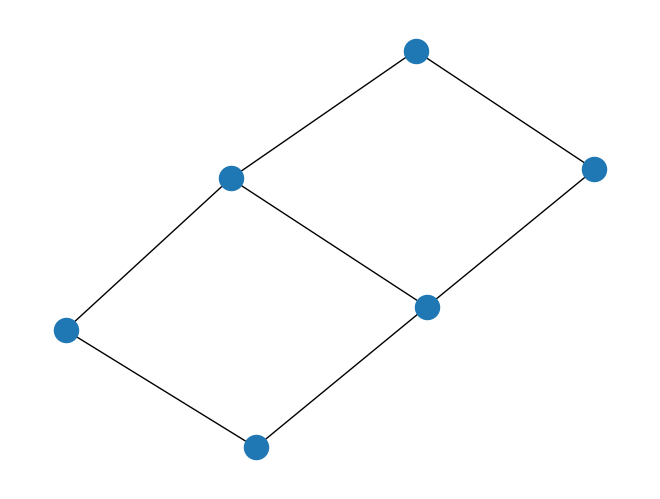
import rustworkx.generators
from rustworkx.visualization import mpl_draw

graph = rustworkx.generators.grid_graph(2, 3)
mpl_draw(graph)